 |
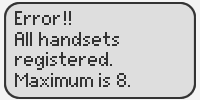
If this error message displays on your handset, please follow the instructions below to deregister your old handset before registering a new handset.
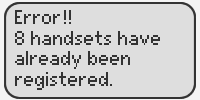
1) On the base unit:
Press: FUNCTION or PROGRAM
Button name varies by phone model.
2) Press: MUTE
3) Enter the numbers 3, 3, 5, #
4) Enter the handset number (1 to 8)
If you need to register a new handset to the base unit, click here for instructions.
If this error message displays on your handset, please follow the instructions below to deregister your old handset before registering a new handset.
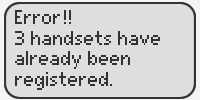
1) On the base unit:
Press: FUNCTION/EDIT
2) Press: MUTE
If you need to register a new handset to the base unit, click here for instructions.
If this error message displays on your handset, please follow the instructions below to deregister your old handset before registering a new handset.
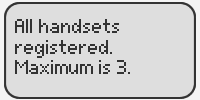
1) On the base unit:
Press and hold the button labeled [ALL] for 7 seconds until the CHARGE indicator light flashes.
2) On the base unit:
Press and hold for 7 seconds the handset’s extension number that you do not want: (1 to 3).
If you need to register a new handset to the base unit, click here for instructions.
If this error message displays on your handset, please follow the instructions below to deregister your old handset before registering a new handset.
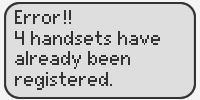
1) On the base unit:
Press and hold the LOCATOR button for 7 seconds until the CHARGE indicator flashes.
2) On the base unit:
Press and hold for 7 seconds the handset’s extension number that you do not want: (1 to 4).
If you need to register a new handset to the base unit, click here for instructions.
If this error message displays on your handset, please follow the instructions below to deregister your old handset before registering a new handset.
1) On the base unit:
Press and hold the INTERCOM button for 7 seconds. until the CHARGE indicator flashes.
2) On the base unit:
Press and hold for 7 seconds the handset’s extension number that you do not want: (1 to 8).
You will hear a long confirmation beep.
If you need to register a new handset to the base unit, click here for instructions.
If this error message displays on your handset, please follow the instructions below to deregister your old handset before registering a new handset.
1) On the base unit:
Press and hold the INTERCOM button until the In USE indicator flashes.
2) On the base unit:
Press and hold the handset’s extension number (1 to 8) that you want to delete until a beep sounds.
If you need to register a new handset to the base unit, click here for instructions.
If this error message displays on your handset, please follow the instructions below to deregister your old handset before registering a new handset.
1) Confirm the cordless camera's extension number from the handset (color display model KX-TGA571).
2) On the base unit:
Press and hold the INTERCOM button until the In USE indicator flashes.
3) On the base unit:
Press and hold the camera’s extension number (1 to 8) that you want to delete until a beep sounds.
If you need to register a camera to the base unit, click here for instructions.
|




