Special Offer

Select colour
Please add quantity{0} in stock

Special Offer

Added to your basket

  • Sub-total:incl. VAT

Sorry, an unexpected error has occurred. Please close this window and try again.

Select colour
Shop SHOP NOW WHERE TO BUY Buy direct from Panasonic Where to Buy Out of Stock at Panasonic Online In stock /content/dam/Panasonic/EC-icon/icn-stock-in.png In stock Out of stock /content/dam/Panasonic/EC-icon/icn-stock-out.png Out of stock Coming soon /content/dam/Panasonic/EC-icon/icn-stock-soon.png Coming soon Panasonic false false Please accept our Cookie Policy to add to basket Please accept our Cookie Policy to add to basket Visit Panasonic Direct Online Shop Photo of {0}

SCV Control Hub

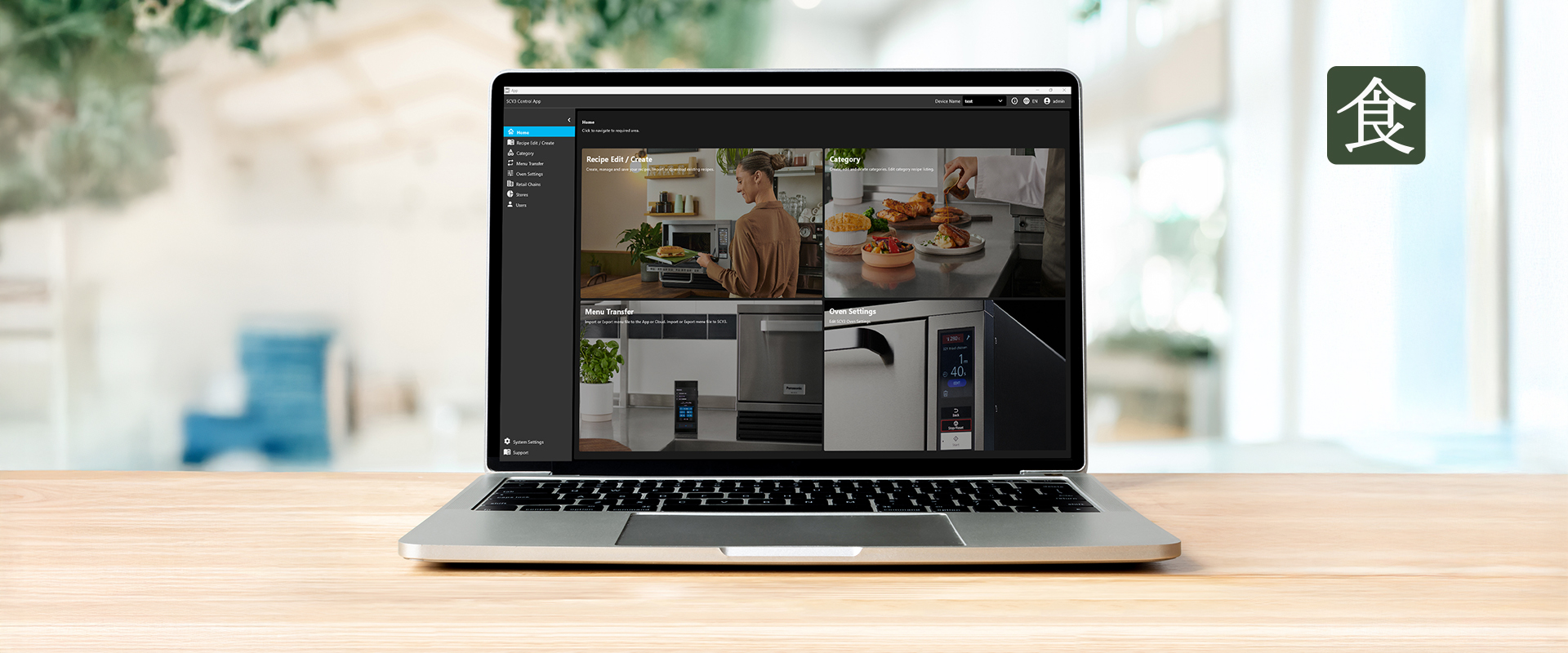
The SCV Control Hub app is displayed on a laptop screen, showing a dashboard with multiple tiles for recipes and cooking functions, including images of prepared dishes and Panasonic Pro Kitchen equipment.

SCV3 Control Hub App

The SCV Control Hub app allows you to easily create, edit, and manage recipes and menu files from anywhere in the world. Update settings for your SCV3 oven and manage the operation of multiple ovens all in one place. Scan the QR code to download the app and register for an account to get started.

A smartphone displaying the SCV Control Hub app is held in front of the Panasonic SCV3 oven in a professional kitchen setting.

Recipe Management

Create and customise recipes to match your menu. Add names, images, and settings tailored to your needs. Save, upload, and download recipes securely to the cloud for easy access anytime.

The SCV Control Hub app displays the Recipe Management screen, showing a list of recipes on the left and an editing panel on the right. The selected recipe shows multiple cooking steps with timers, icons, and temperature settings, along with a preview of the oven interface.

Retail Chain Management

Transfer menus or single recipes to individual ovens within your retail chain. Control and organise effortlessly.

Two stacked Panasonic SCV3 ovens are shown on the left side of the screen, while the SCV Control Hub app displays a “Select Store” menu on the right with the options Milan, London, Berlin, and Paris.

In-App Support

Access support whenever you need it. Get in touch with our team and find product information – all in one place.

A laptop on a wooden table displays the SCV Control Hub app’s in‑app support section, showing tutorial thumbnails and interface previews on the screen.

Menu Transfer via USB

While our app offers the most seamless way to create, manage, and transfer recipes to your SVC3, you can also use a USB stick whenever needed.
Simply store your recipes on a USB drive and import them through the SVC3’s USB port—perfect for quick transfers or offline environments.

A USB drive is being inserted into a port beneath a Panasonic oven as part of the Transfer+ menu process shown on the appliance’s control panel.

Panasonic Focus: Your Ultimate Training Hub

Panasonic Focus is your go-to platform for training videos, product information, and more. Whether you’re a business partner or simply looking to expand your knowledge, Panasonic Focus offers easy-to-follow courses that break downkey features and benefits of our products into 2-3 minute sessions. Track your progress, earn badges, and stay up to date with the latest from Professional Kitchen. Panasonic Focus puts dedicated training and education at the heart of your operations.