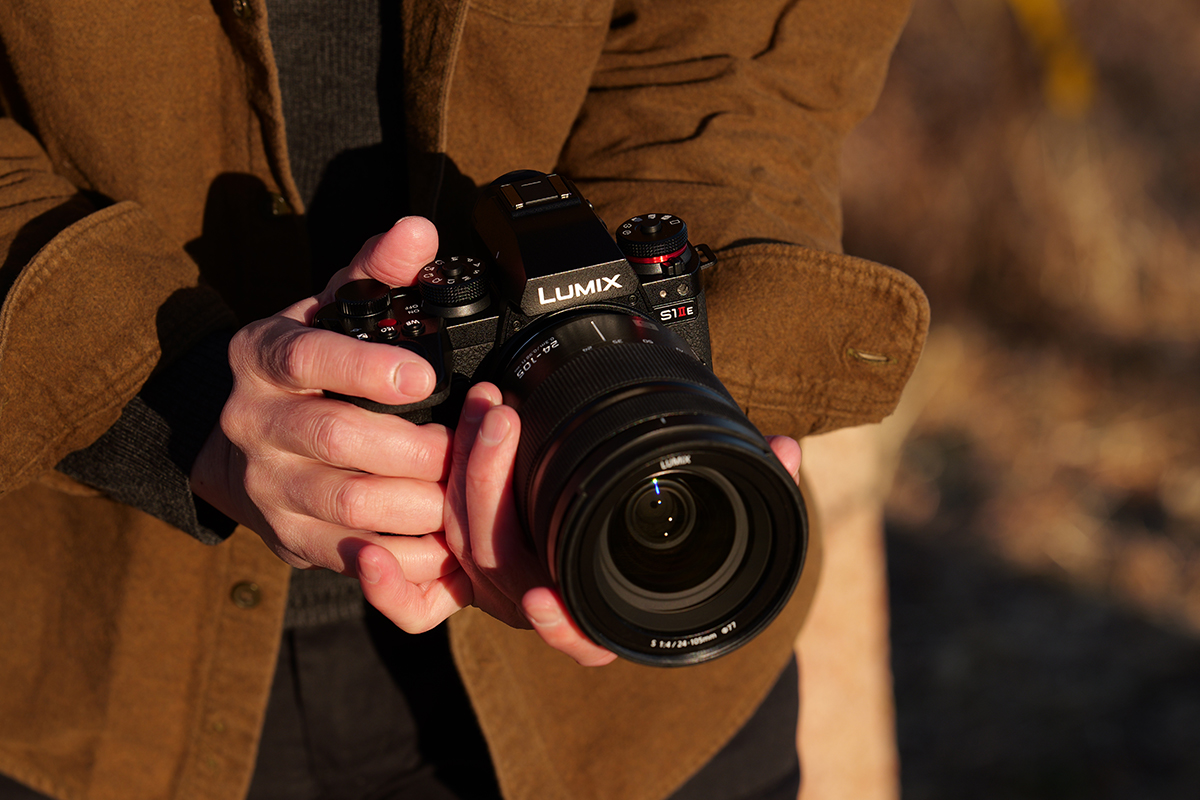
Create stunning video with LUMIX color science and rich tonal gradation

Enables flexible color grading
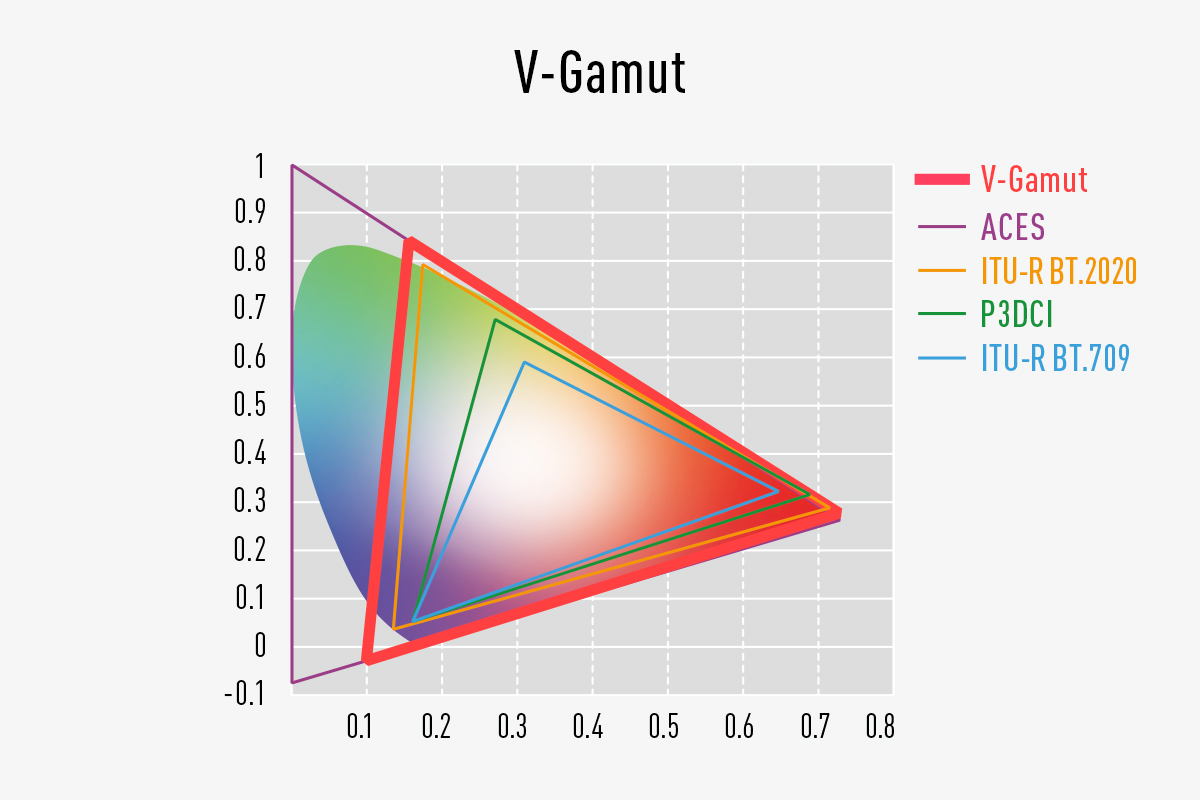
14+ stops V-Log/V-Gamut
Supporting 14+ stops V-Log/V-Gamut, this camera faithfully captures everything from shadows to highlights with impressive accuracy, enabling HDR video production with smooth gradation and rich tones. A unified gamma profile across the LUMIX S and G Series supports a streamlined post-production workflow.

A wide range of video recording modes to meet professional production workflows
From ultra-high-resolution 6K 30p 10-bit recording to C4K, 4K, 3.3K, and FHD, the LUMIX S1IIE offers a wide range of video formats to meet a variety of creative demands and shooting styles.
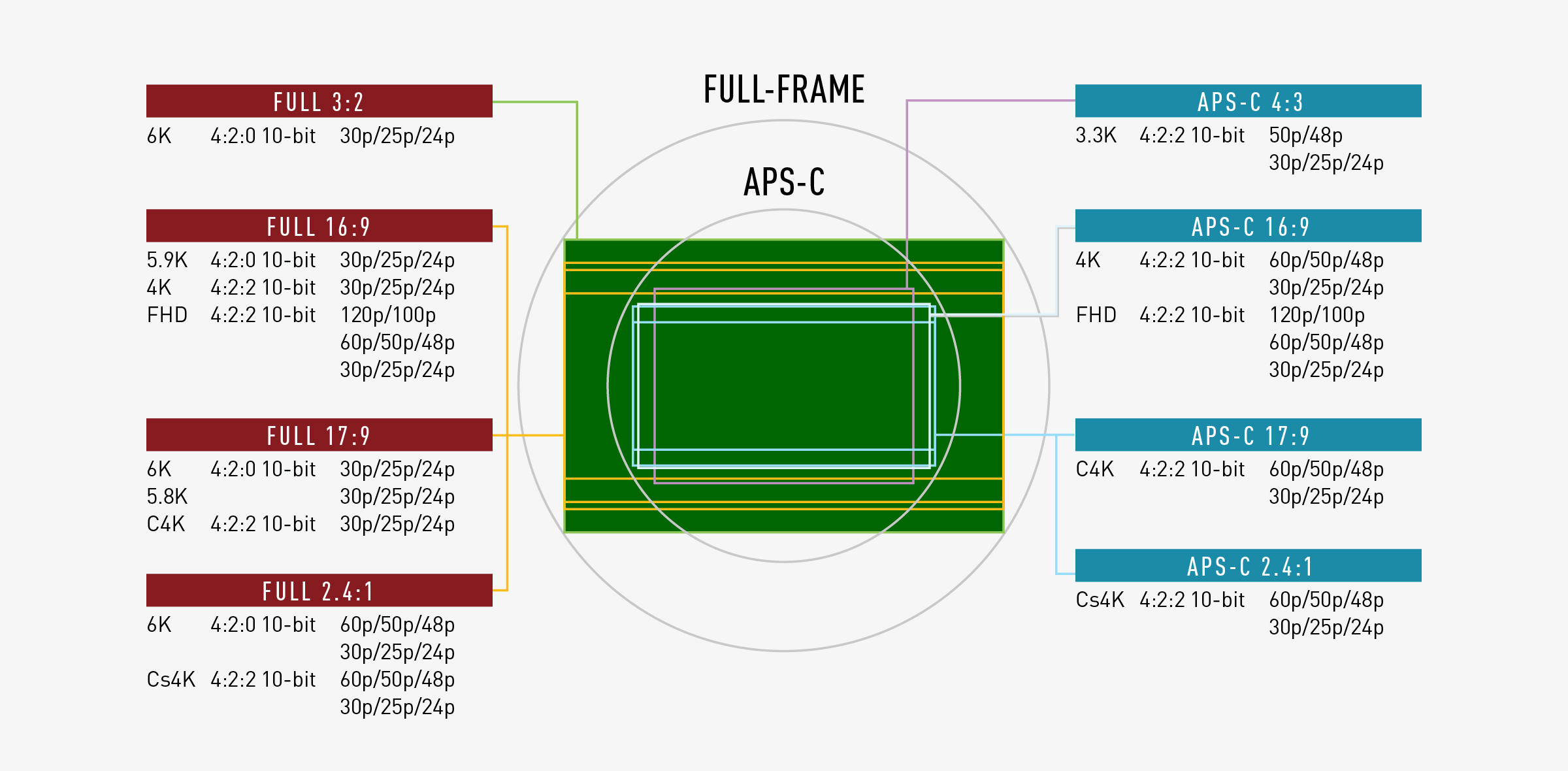
・Depending on the Rec Quality and Slow & Quick setting frame rate settings, the following crop zoom rates are used for recording:
FHD video: Approx. 1.22x (151 fps or higher)
・For FHD video with a Slow & Quick setting frame rate of 151–180 fps, image sensor recording uses 1632x920 pixels.
6K 30p 4:2:0 10-bit (3:2) open gate video recording
Offering open gate recording 6K 30p 4:2:0 10-bit (3:2), this model allows for flexible post-production cropping while maintaining image quality. This ensures compatibility with a wide range of social media platforms and client needs. RAW video output via HDMI is also supported.
Cs4K 60p 4:2:2 10-bit ALL-Intra (2.4:1)
Cs4K 60p 4:2:2 10-bit high frame rate video recording allows you to create slow-motion video with audio by converting the frame rate using non-linear editing software. In addition, C4K/4K 60p recording is available with no time limit.*
*The recording time varies depending on the shooting format and the operating conditions. It will stop automatically once the internal temperature gets too high.
Proxy video recording
It is also possible to record a low-bitrate proxy file*. Simultaneously recording a proxy file that is linked with the original video recording greatly improves the efficiency of post-production work, such as data transfer and editing. Proxy files can also be recorded to the internal memory card even during RAW video data output.
*Proxy video recording is not possible for MP4, exceeding a resolution of C4K, 4:3 or 3:2 aspect ratio, high frame rate video.

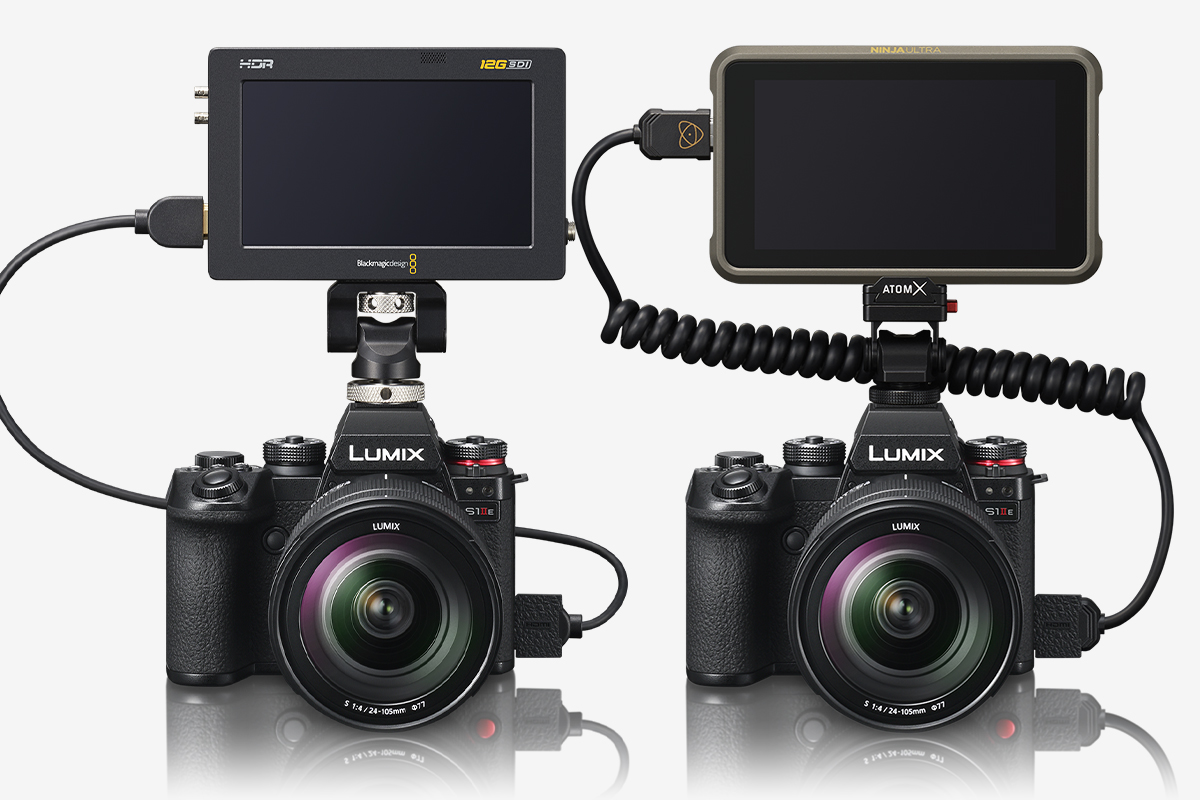

Blackmagic Video Assist 5" 12G HDR, Blackmagic Video Assist 7" 12G HDR
*DaVinci Resolve or DaVinci Resolve Studio is required to play back and DaVinci Resolve Studio to edit Blackmagic RAW data.
*Please refer to the Blackmagic Design website for the information on the corresponding firmware version of Blackmagic Video Assist 5” 12G HDR and Blackmagic Video Assist 7” 12G HDR.
*All functions may not be available depending on the situation.
ATOMOS devices "Ninja V" / "Ninja V+" / "Ninja" / "Ninja Ultra" / "Shogun" / "Shogun Ultra" / "Shogun Connect"
*All functions may not be available depending on the situation.
*Please check here for compatible firmware versions of external recorders.
https://panasonic.jp/support/global/cs/dsc/connect/index.html
*"Ninja V" "Ninja" "Shogun" does not support some RAW video data.
*Software that supports Apple ProRes RAW is required to edit RAW video recorded.
*A LUT (Lookup table) exclusively designed for RAW video is available on the following customer support website to make the same color grading as V-Log/V-Gamut.
https://panasonic.jp/support/global/cs/dsc/download/lut/s1h_raw_lut/
Robust video production assistance and scalability

16-bit / 24-bit linear recording
Manual sound recording level adjustment required depending on the environment.

32-bit float recording
No need for sound recording level adjustment in most recording environments.

Dual AD converters
16-bit / 24-bit linear recording: Processed with a single AD converter after adjusting the sound input level.

32-bit float recording: Processed with dual AD converters optimized for large and small sound input levels.

Advantages when gain increasing in editing
16-bit / 24-bit linear recording: Increasing the volume during editing reduces resolution.

32-bit float recording: Increasing the volume during editing maintains resolution.

16-bit / 24-bit linear recording: Reducing the volume during editing leaves the audio waveform distorted.

32-bit float recording: Reducing the volume during editing preserves the audio waveform.