

Create a New Group to Manage
Multiple Devices
The Panasonic Comfort Cloud App lets you easily organize your registered devices such as air conditioners and ventilators, into different groups. This simplifies the process of managing and monitoring all your devices across various locations.
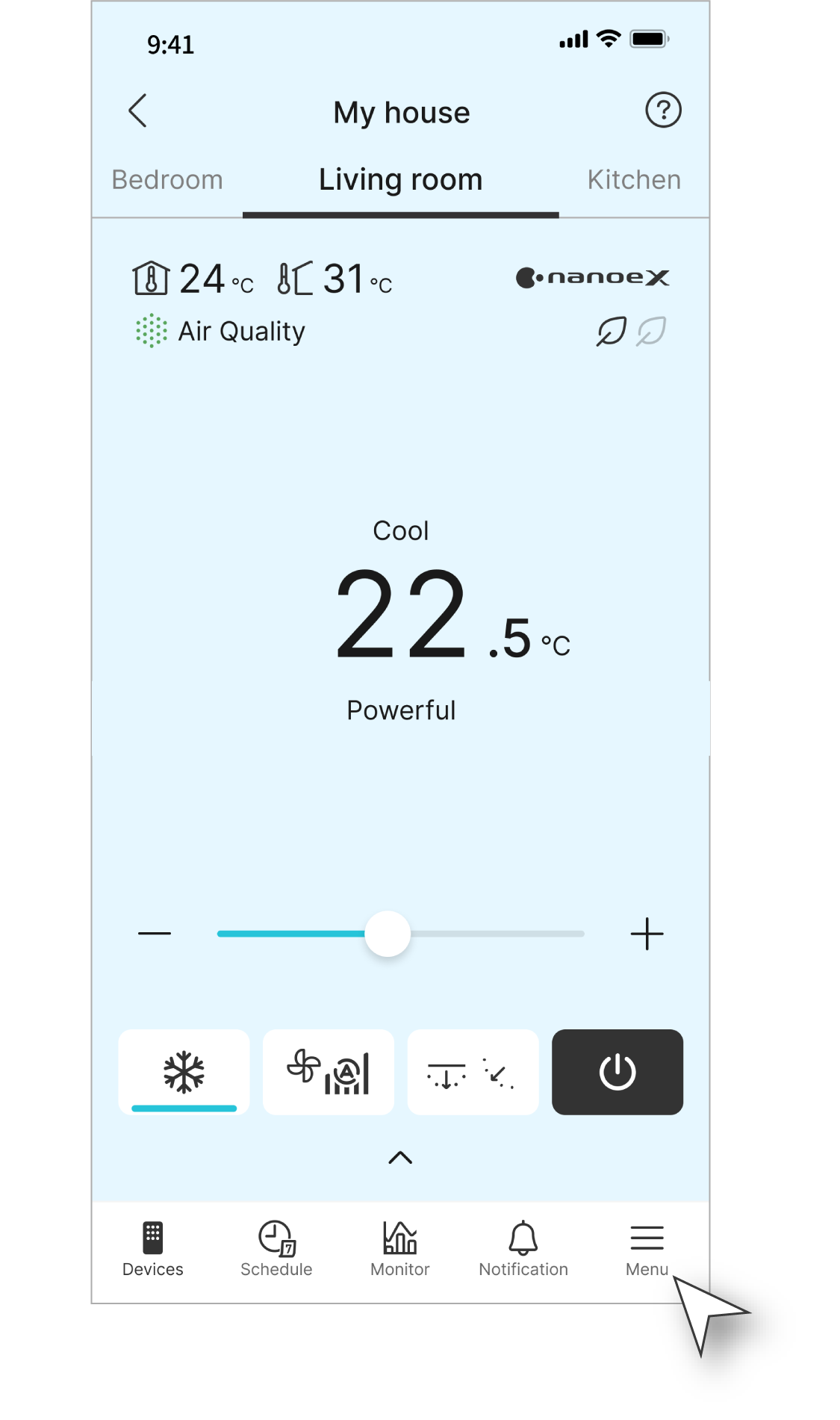
Step 1
Tap "Menu".
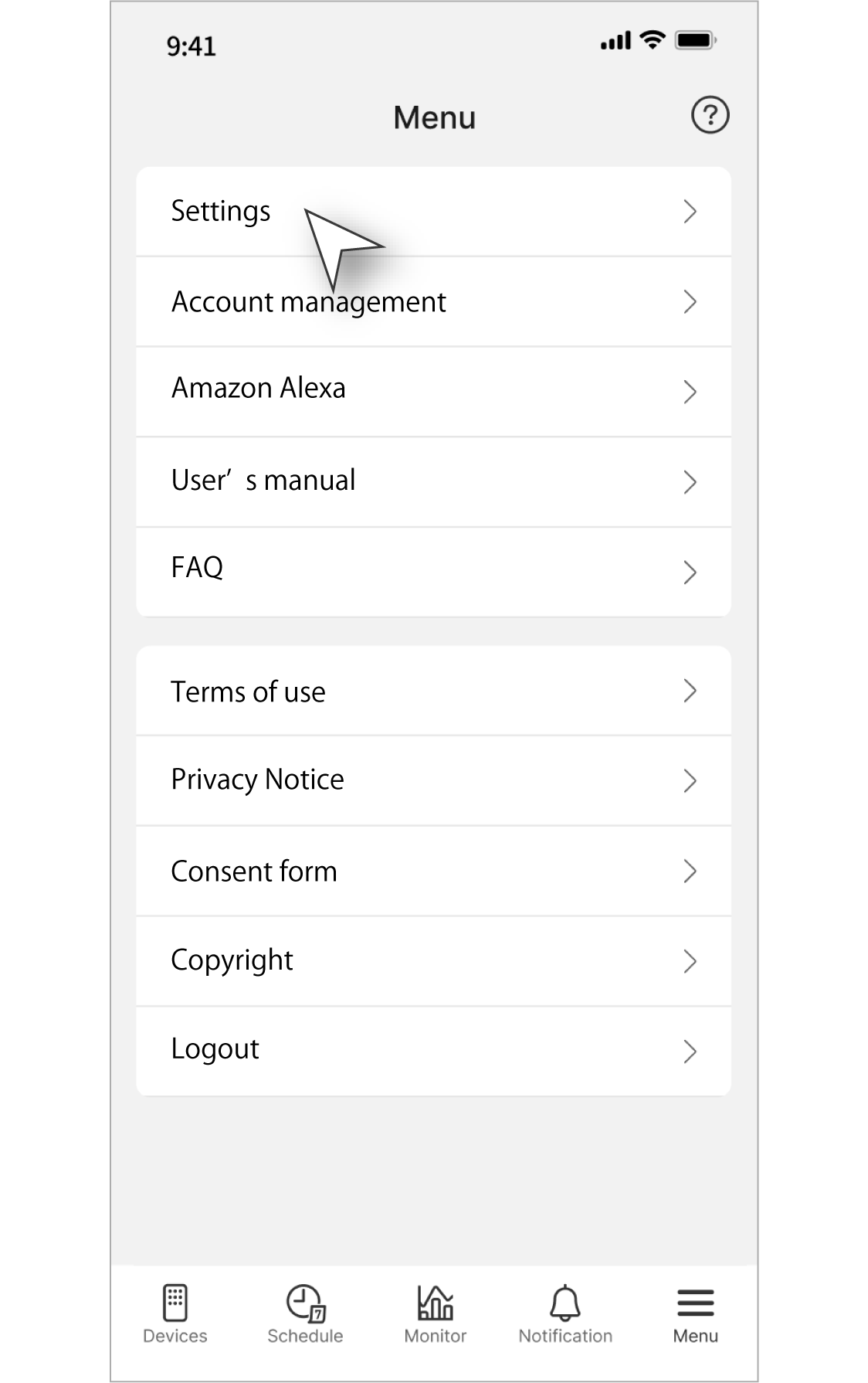
Step 2
Choose "Settings".
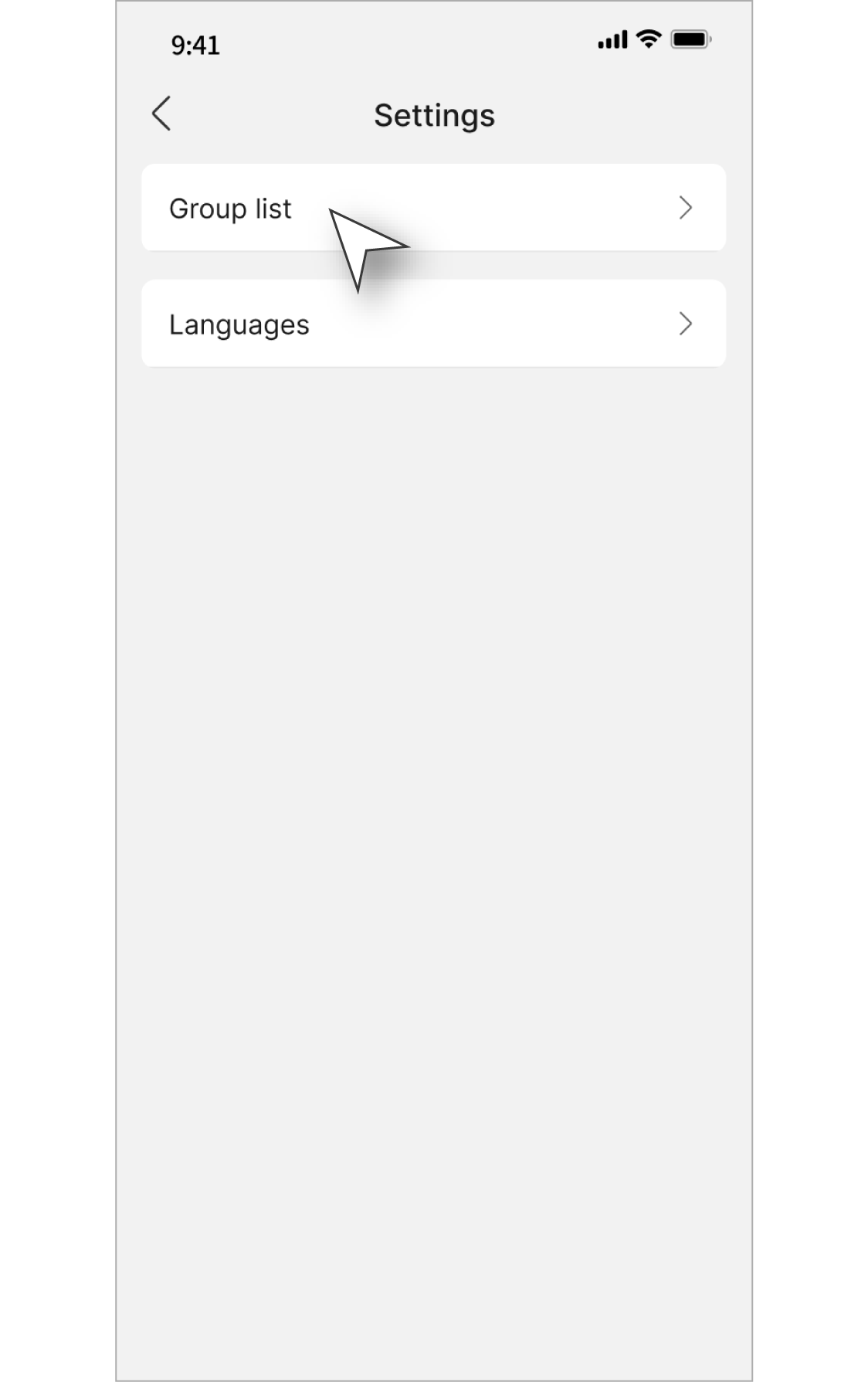
Step 3
Choose "Group list".
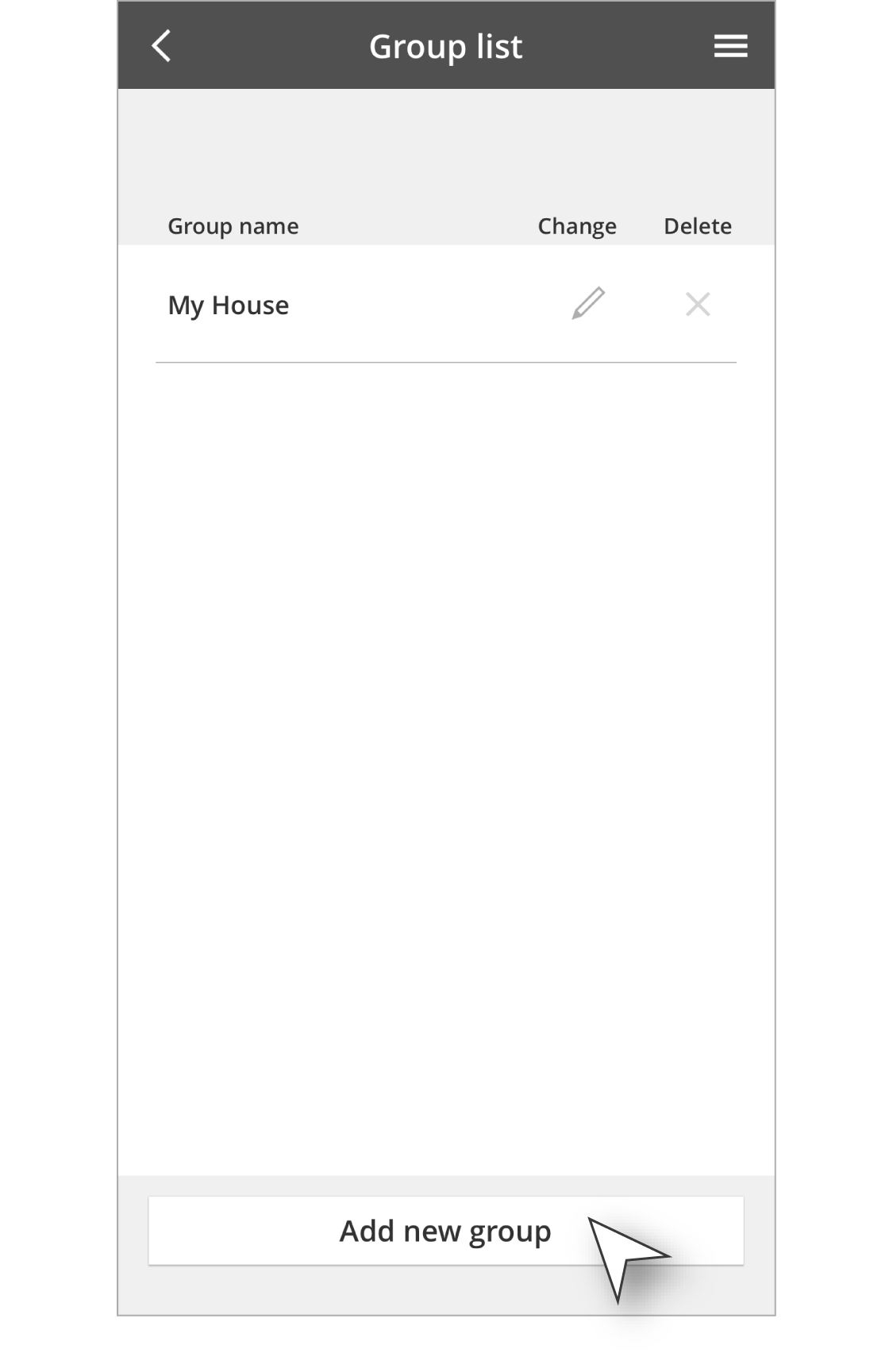
Step 4
Tap "Add new group".
Disclaimer
Air conditioner needs to be connected to the Panasonic Comfort Cloud App and an internet connection is required.
The images shown are for illustration purposes only. Actual interface may vary depending on the model’s functionality and the version of Comfort Cloud App.

