
How to Use Panasonic Comfort Cloud App Features
1.0 Home Screen's Features

 :
 :
 :Fan
 :
 :
 :
Turn the device ON / OFF
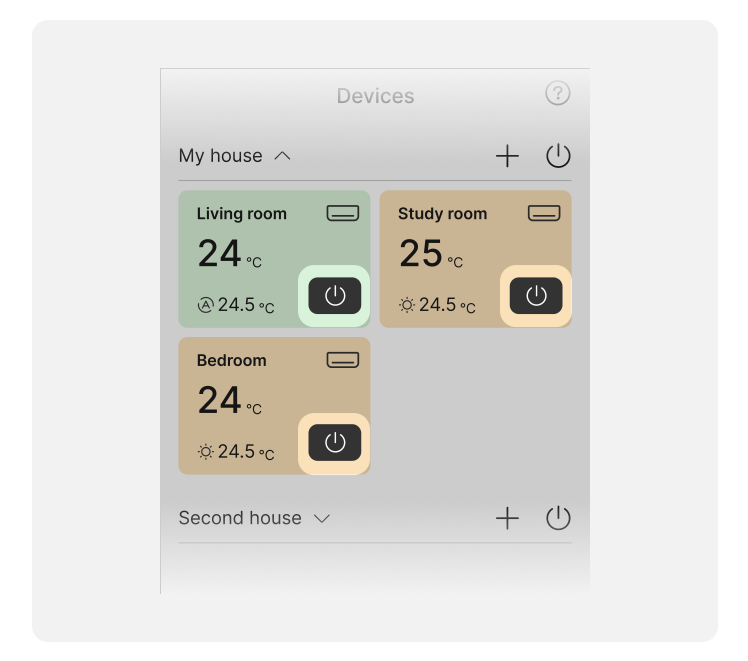
You can turn power ON / OFF by pressing the power button of the corresponding device.
*Some models are not supported.
Turn multiple devices ON / OFF at once
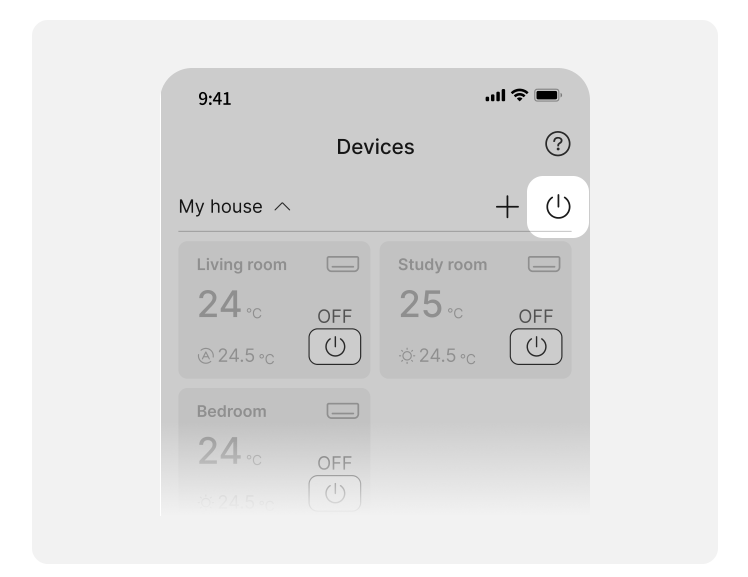
To turn all devices registered in the same group ON or OFF at once, press the power button in the upper right corner.
*Some models are not supported.
Add new device

By pressing the + button in the group, you can add a new device.
Function switching

2.0 Air Conditioner's Features

Setting the operation mode

Press the icon to change the operation mode.
*The available features may vary depending on model.
Setting airflow and direction

Press the icon to change the fan speed and airflow direction.
*The available airflow settings may differ depending on the model.
Optional settings

3.0 Ventilator's Features
Choose ventilator operation mode
Adjust ventilator speed to keep the air fresh
Monitor PM2.5 and CO₂ level in your space
Pre-ventilate your space for fresh air
Set up ventilator weekly timer
Turn On/Off all your ventilators simultaneously
Check ventilator error code notifications
Pairing air conditioner and ventilator