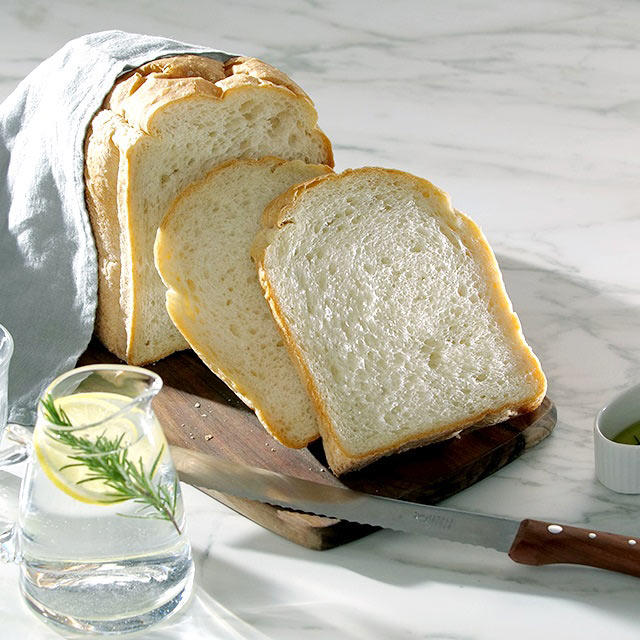




Ricotta Spelt Bread with roasted Hazelnuts
Want to try out something new? Bake this easy spelt bread with ricotta and roasted hazelnuts with your Panasonic breadmaker.

 4 hours 20 minutesDifficulty:Easy
Nutrition per serving
-
Calorie2621
-
Carbohydrate368g
-
Fat87g
-
Protein88g
-
Sodium3.21mg
-
Sugar18g
Ingredients
Makes 1 loaf cake
- 2 tspdried yeast (use Panasonic measuring spoon)
- 200 mllukewarm water
- 1 tspsugar (use Panasonic measuring spoon)
- 80 ghazelnuts
- 150 gspelt flour (type 1050)
- 350 gspelt flour (type 630)
- 150 gricotta
- 3/4 tbsp salt (use Panasonic measuring spoon)
- 1 tbspolive oil (use Panasonic measuring spoon)
- 1 tbspspelt flour ((type 630) for dusting)
Steps
STEP 1
Measure out the dried yeast with the Panasonic measuring spoon and mix thoroughly with the water and sugar in a small bowl.
STEP 2
Chop the hazelnuts finely and toast them in a dry non-stick pan until golden. Transfer them to a plate and leave to cool down.
STEP 3
Prepare the automatic breadmaker by taking the bread pan out of the appliance and inserting the kneading blade.
STEP 4
Put both types of flour, ricotta and salt into the pan. Measure out the olive oil using the Panasonic measuring spoon and add to the pan along with the yeast mixture.
STEP 5
Insert the filled bread pan into the appliance and close the lid. Open the compartment of the raisin and nut dispenser. Put the roasted hazelnuts inside it, then close the feed-in flap.
STEP 6
Set the appliance to the bread programme called “basic stuffed”, size “XL” and Crust “Dark” option, then press “Start”.
STEP 7
Optional: 30 minutes before the end of the program, open the lid, dust the loaf carefully with a bit of flour, close the lid and bake the loaf until it is done.
STEP 8
After the program is finished, open the lid and take out the bread pan. Remove the loaf from the pan and leave to cool. Before slicing, remove the kneading blade from the loaf.